
Call center is a specialized office set up to handle a large volume of telephone calls, primarily for customer service, support, sales, and other inquiries. Here’s a detailed and comprehensive explanation of call centers.
Focus on outgoing calls to prospects or existing customers.
Focus on incoming calls to prospects or existing customers.
Handle the same agents to multiple functions.
Agents work remotely from various locations.
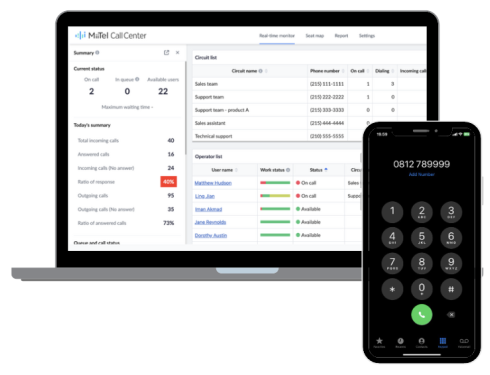
Empowers supervisors by offering “MiiTel” core capabilities, including call functions, voice transcription, voice analysis, and emotion analysis, along with additional services like real-time monitoring, line lists, user management, and seat mapping needed for efficient call center operations. This comprehensive tool, aims to address challenges immediately, greatly reducing the burden on supervisor.
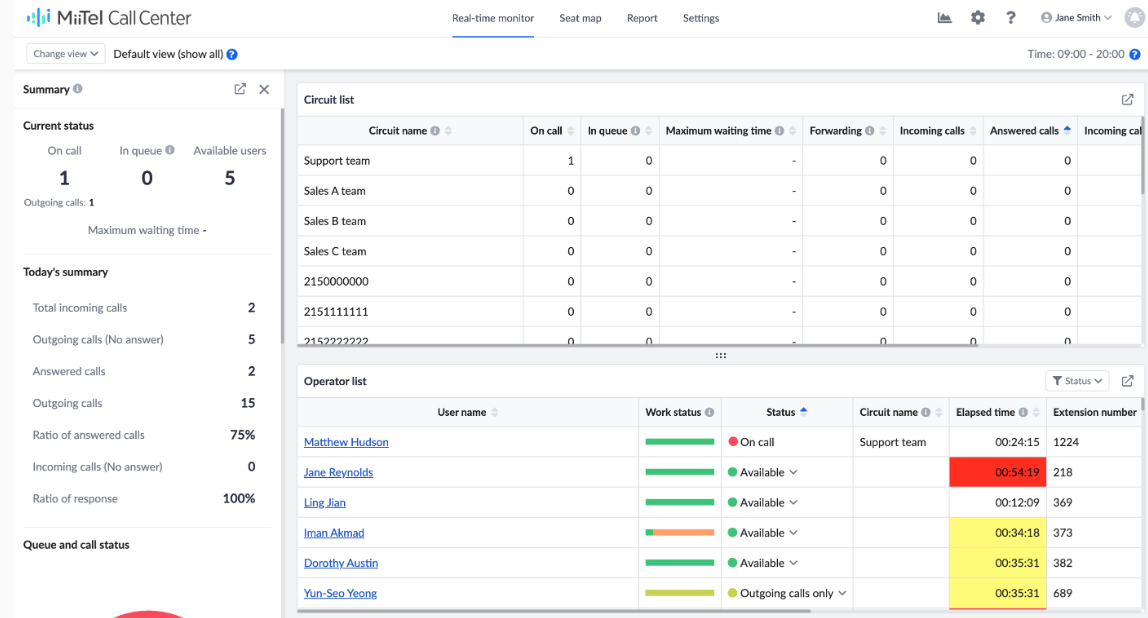
Summary in the Summary section of our call center, we can see the current status of agent call activities. We can also view an overall summary of call types handled by agents, such as Total incoming calls, answered calls, incoming calls (no answer), response ratio, etc.
Circuit list from the circuit list, you can check the live usage status of the circuit. You can also click the field name to change the order of the data. (With this, you can check the circuit with the most in the queue, the lowest ratio of answering calls, etc.)
Operator list from the operator list, you can check each user’s current status, elapsed time of that current status, the number of answered calls, average call duration, and more.
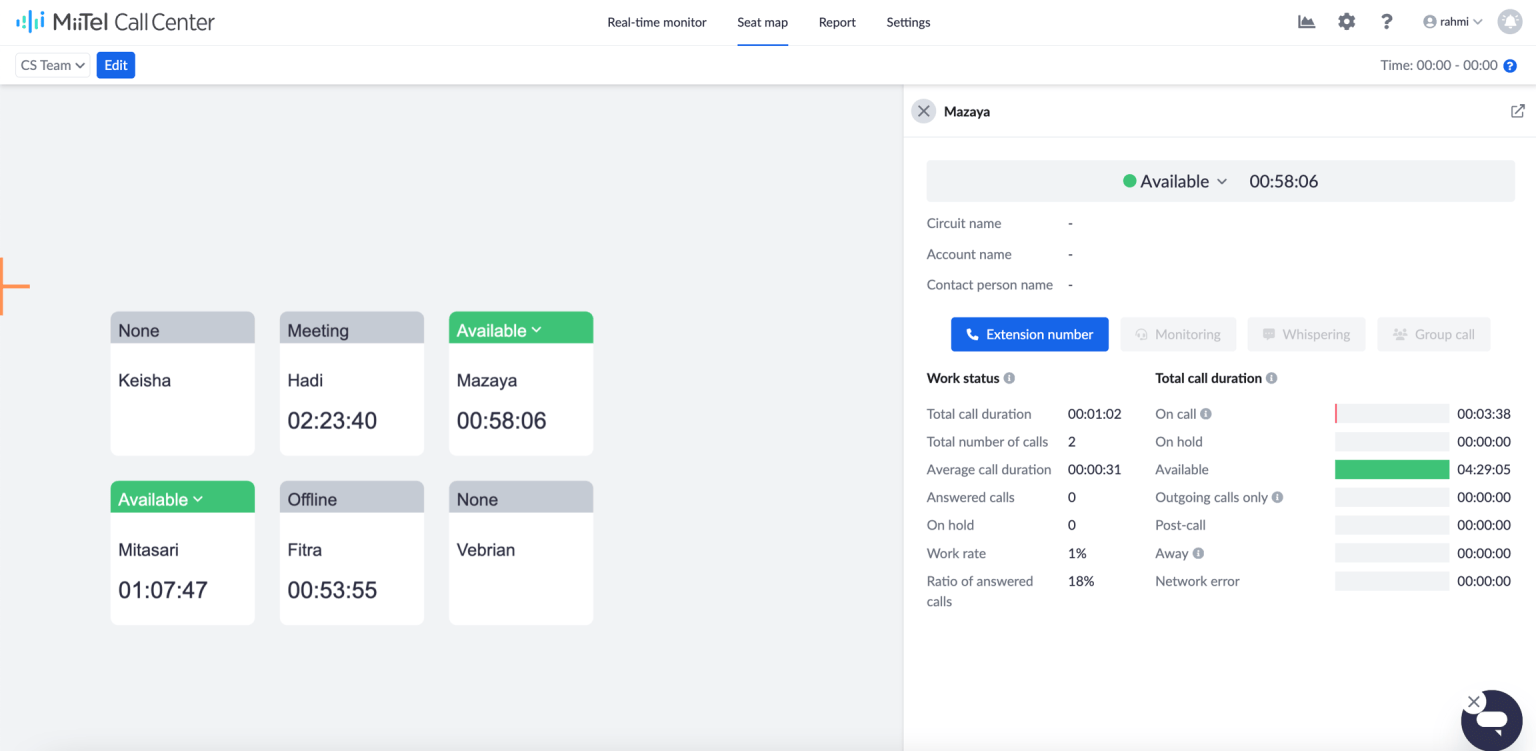
On the seat map screen, you can check the work status of each user by their actual seating location. You can also create different seat maps for each department or each day of the week.
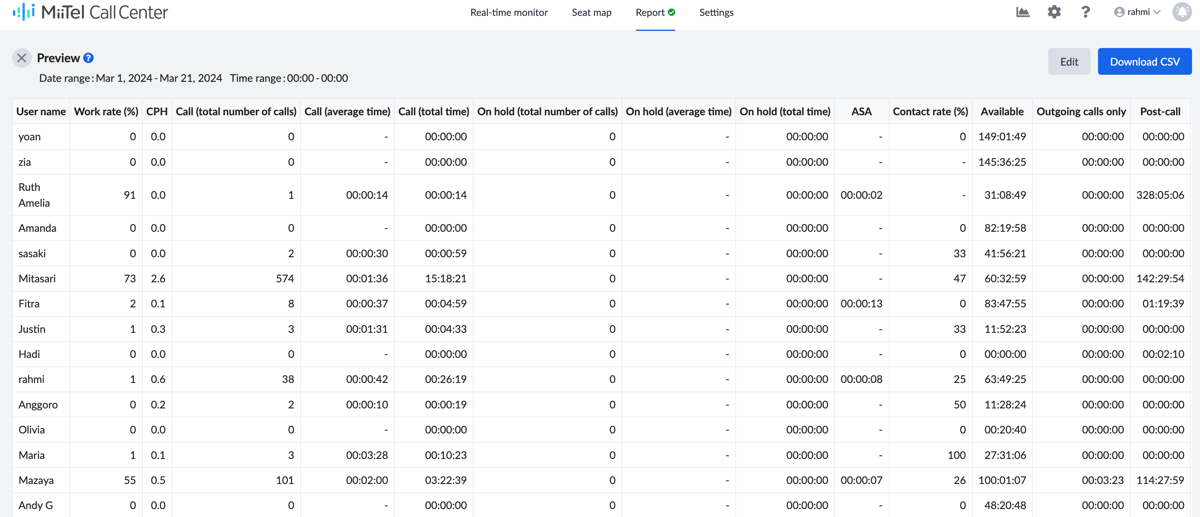
Call center report is a comprehensive document that provides detailed insights into the performance and activities of a call center. These reports are part for monitoring the efficiency, productivity, and overall effectiveness of call center operations.
You can collect the data of each user’s status, like the work rate, total number of calls, average time, total time, etc., and download the report in CSV.