Background
The learning center is designed to optimize the use of MiiTel across various business scenarios. Through a range of practical use cases, MiiTel Academy demonstrates how MiiTel’s advanced features can drive operational efficiency and transform your business.
Purpose of Uploading Call Recordings
- If you already have your own PBX and want to manage call results with MiiTel, you can upload recordings from MiiTel.
- Manage call history data.
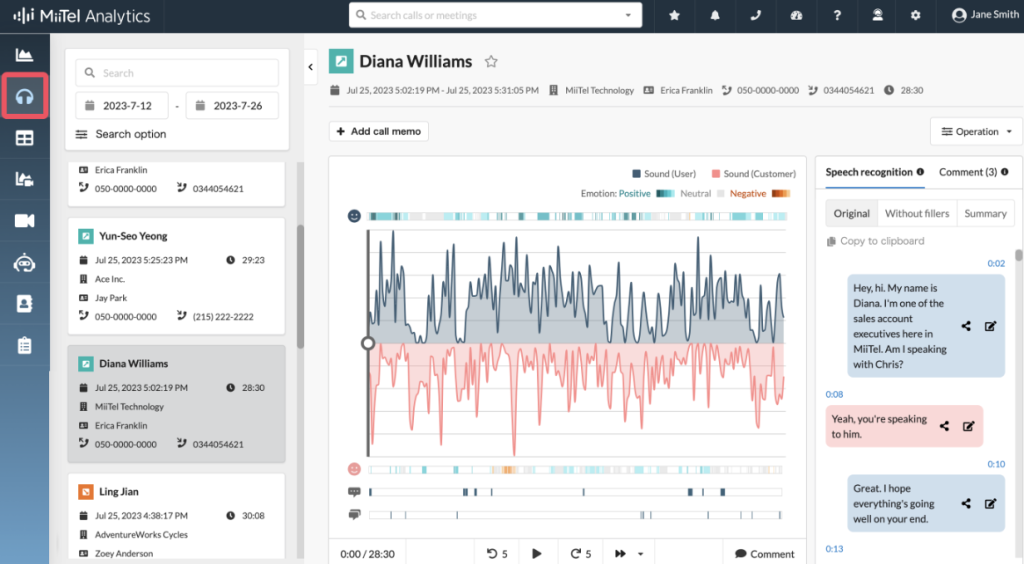
- Analyze the call histories made by the phone service on MiiTel Analytics.
- Facilitate the creation of KPIs between agents.
- And many more.
With Incoming Webhook, you can easily upload external audio recordings into MiiTel, allowing you to manage the call histories made by the phone service on MiiTel Analytics. To upload audio recordings to MiiTel, you need first to enable the incoming webhook. Please contact the MiiTel CS team if you want to activate the Incoming Webhook.
Methods
MiiTel provides 3 methods for uploading call recordings:
- Upload recording files on MiiTel Analytics.
- Upload recording files via incoming webhook.
- Upload recording files in bulk using tools.
Note:
You would need to subscribe to Incoming Webhook. If you want to use this service, please contact us. For audio channels, we recommend using stereo because the two-way channel the engine will easier to detect the conversation between agents and customers and more accurate.